BCCA Appeal Book Printing: What Legal Assistants Should Check Before Production
A BCCA Appeal Book can look ready until the final production review starts.
The PDF is assembled, but the Table of Contents does not match the final page numbers. A replacement page was sent separately. One exhibit is faint. A photograph should be printed in colour. The book is close to a volume break, but no one has confirmed where Volume 2 should begin.
These are the details that create rework when the deadline is already close.
What an Appeal Book Needs Before It Goes to Print
An Appeal Book is not just a large PDF of evidence. It is a structured set of court materials that needs to be readable, organized, and consistent from the electronic file through to the printed copies.
Before sending a file for legal document printing, confirm that the Appeal Book contains the final evidence selected for the appeal package. The production team should not be asked to guess whether a chamber's affidavit, exhibit, tribunal document, or replacement page belongs in the final book.
The basic production details should be clear before printing starts:
Final PDF page order
Final Table of Contents
Sequential or Bates page numbering
Any replacement pages inserted in the correct location
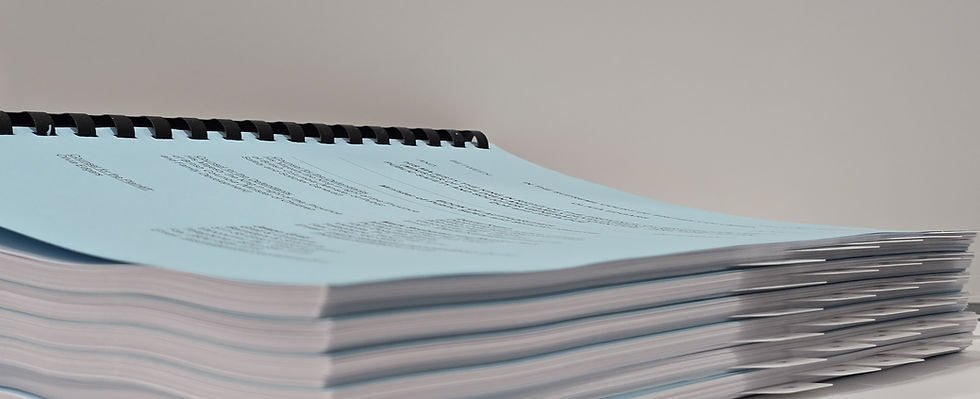
Blue cover and back page
Double-sided printing
Cerlox plastic comb binding
Required copy count
Volume breaks, if the book is large
Delivery or pickup deadline
A clean file saves time because production can proceed without pausing to clarify the basic structure.
Page Numbering and the Table of Contents Need to Match
The Table of Contents is one of the first places where production problems show up.
If pagination changes after the Table of Contents is prepared, every exhibit reference, affidavit reference, and volume break needs to be reviewed again. A small page shift can affect the printed book, the PDF bookmarks, and anyone trying to find a document under deadline pressure.
For Appeal Books, the Table of Contents should be clear and meaningful. Exhibit entries should identify the exhibit number, describe the document, and include the exhibit date. Affidavit entries should identify the deponent, the filing date, and any attached exhibits.
From a production perspective, the important question is simple: does the Table of Contents match the final PDF that is being printed?
If the answer is not confirmed, hold production until it is.
Common Appeal Book Production Mistakes
Most Appeal Book problems are not dramatic. They are small file issues that become expensive once multiple bound sets are printed.
The most common issues usually fall into a few categories:
Table of Contents prepared before final pagination
Replacement pages supplied as separate files without insertion instructions
Page numbers added visually but not aligned with PDF page labels
Bookmarks that say “Exhibit” without describing the document
Colour photographs not identified before black-and-white proofing
Poor scans that are difficult to read once printed
Volume breaks are decided after the book has already been imposed
The cover page is missing the correct volume number
Copy count is confirmed before the number of parties is checked
These problems are easier to fix before production than after the Appeal Book is printed, bound, packed, and ready for delivery.
Check Legibility Before Multiple Copies Are Produced
Appeal Books often include scanned material from different sources. Some pages may be sharp. Others may come from old exhibits, handwritten notes, faint stamps, photocopies, email chains, or documents with small print.
Do not assume a weak scan will improve in print. It usually will not.
The pages most worth checking before production are the ones that may lose clarity once printed:
Small text
Faded copies
Handwritten notes
Signatures and stamps
Rotated pages
Colour photographs
Reduced oversized documents
Pages with heavy shadows or skewed scans
If a page is difficult to read on screen, flag it before full production begins. That gives the legal team time to replace the scan, approve it as is, or provide specific instructions.
What a Complete Print Instruction Looks Like
A print-ready PDF is only part of the job. The production instructions matter just as much.
For example, “print appeal book” is not enough information when the deadline is close. A better instruction set would include:
“BCCA Appeal Book, final PDF attached. Print 6 copies, double-sided, blue cover and back page, Cerlox bound. Volume 1 of 2 and Volume 2 of 2 as labelled in the PDF. Please print colour pages in colour. Required for pickup by 3:00 p.m. Friday.”
That kind of instruction reduces back-and-forth and gives production a better chance to catch issues before the job goes to print.
Pre-Production Checklist for BCCA Appeal Book Printing
Use this checklist before sending the final PDF to print. It is meant to catch the practical production issues that tend to create rework near the deadline.
File setup
Start with the electronic file and make sure it reflects the exact book that should be produced:
Final PDF supplied
Page order confirmed
Sequential or Bates numbering applied
Table of Contents updated after final pagination
Bookmarks reviewed
Page labels checked where needed
Replacement pages inserted into the final file
Print instructions
Confirm the physical production details before the job is imposed, printed, and bound:
Blue cover and back page
Double-sided printing
Cerlox plastic comb binding
Volume breaks confirmed
Full Table of Contents in each volume
Volume labels shown on each cover, such as “Volume 1 of 3”
Copy count confirmed
Content review
Review the pages that are most likely to cause questions once the file reaches production:
Exhibits clearly described
Affidavits clearly described
Colour pages identified
Poor scans reviewed
Audio or video exhibit placeholder pages checked, if applicable
Final proof is
reviewed before full production, where time allows
Filing and delivery details
Finish with the timing and handling instructions so the completed sets go where they need to go:
Filing deadline
Pickup or delivery address
Registry or office delivery instructions
Number of parties requiring service copies
Internal office copy requirement
Contact person for production questions
Once this checklist is complete, the next step is to ensure the print request includes the same level of detail as the file itself.
Preparing an Appeal Book, factum, court book, or Book of Authorities for production?
CETTEC’s Legal Print Order page is set up for court and litigation materials. Include the document type, copy count, print sides, binding, cover colour, tabs, deadline, pickup or delivery details, and any special production notes with your file.
Before You Send the File
A BCCA Appeal Book is easiest to produce when the evidence file is final, the Table of Contents matches the page numbering, colour and legibility issues are identified early, and volume instructions are clear before printing begins.
When a filing deadline is close, there may be little room to reprint multiple bound sets because a page, colour instruction, or volume label was missed.
For Appeal Books, Appeal Records, factums, Books of Authorities, court books, affidavits, exhibits, and litigation binders, CETTEC’s Legal Print Order page gives legal teams a clear place to send the file, specifications, deadline, and delivery instructions.